
Presentations
Blackmagic Cloud presentations provide an easy and secure way to review DaVinci Resolve timelines or uploaded clips with both collaborators and clients.
Reviewers can add markers, comments and annotations to a presentation. These will then automatically be applied to the DaVinci Resolve timeline, making it easy for collaborators, for example colorists and editors, to reference any comments or requested changes.
You can share presentations with anyone, even if they don’t have a Blackmagic Cloud account.
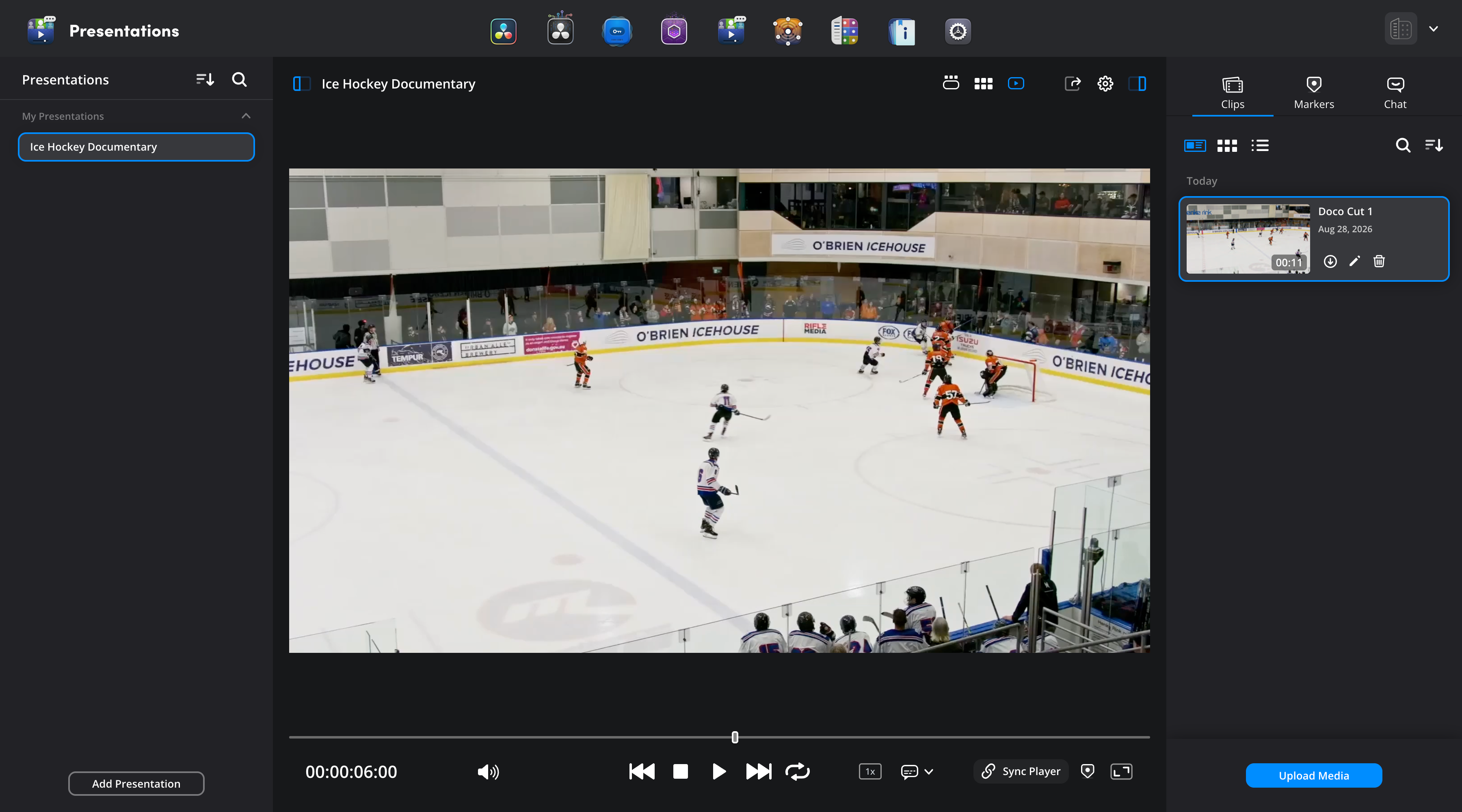
The presentations page is divided into three main sections. The left sidebar is where your presentations are created, stored and organized. The viewer area in the middle of the page lets you navigate clips, add markers and annotations and adjust playback. The right sidebar contain the ‘clips’, ‘markers’ and ‘chat’ tabs. ‘Clips’ contains all the video clips you can comment and collaborate on. The ‘markers’ tab lists all the markers added to a clip, and lets you add comments and annotations. The ‘chat’ tab lets you type text chats to other collaborators in the presentation.
You can create up to 20 presentations in a free Blackmagic Cloud account in your personal profile. Additional presentations can be purchased on a monthly basis for organizations.

